Diastora app iconDiastora
Diastora for iPhone and Android

Photograph the monitor. Keep a blood pressure log your doctor can read.

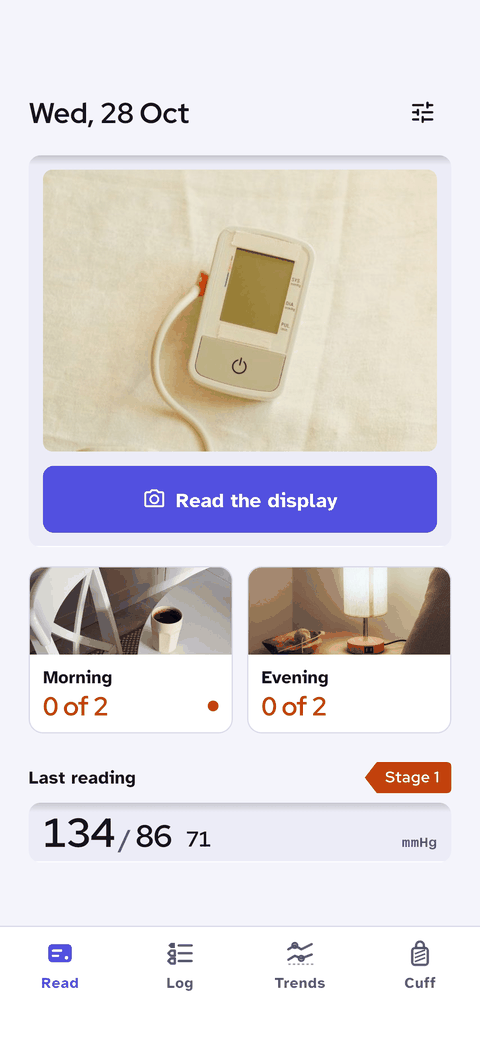
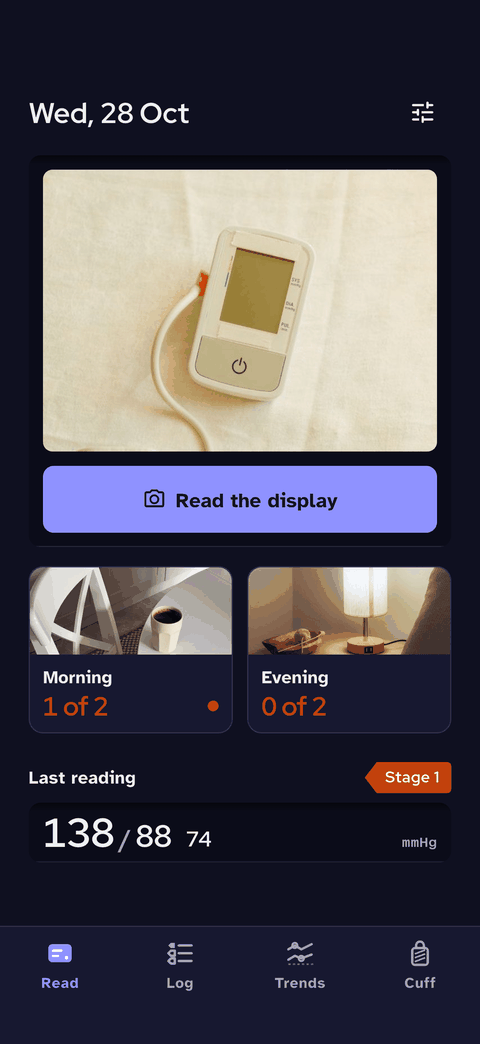
Point the camera at the display on any home blood pressure monitor and the numbers land in the log, with the time, the arm and whether you had taken your tablets. Morning and evening averages, a seven day protocol and a one page sheet for the clinic are worked out on the phone.

Diastora screen
Diastora home screen

Made for the week before the appointment.

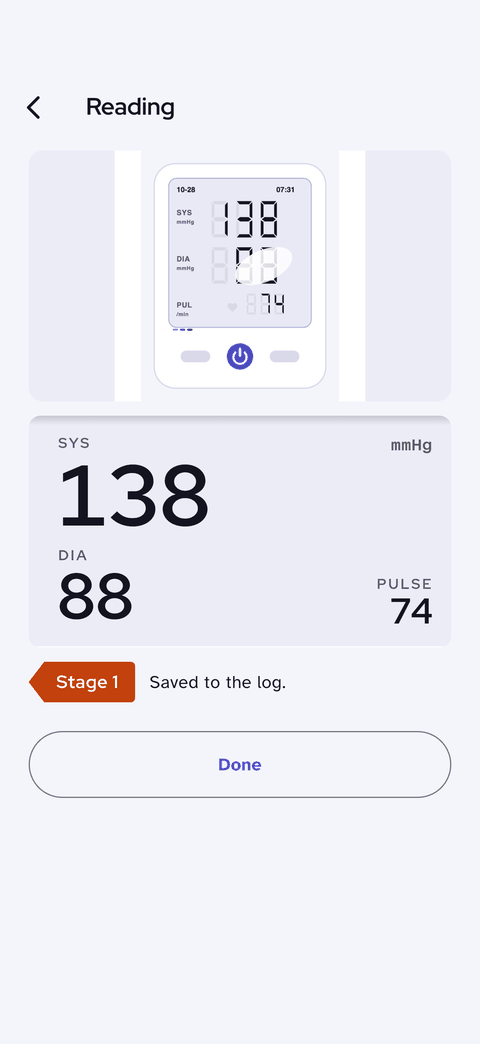
The display, read into the log

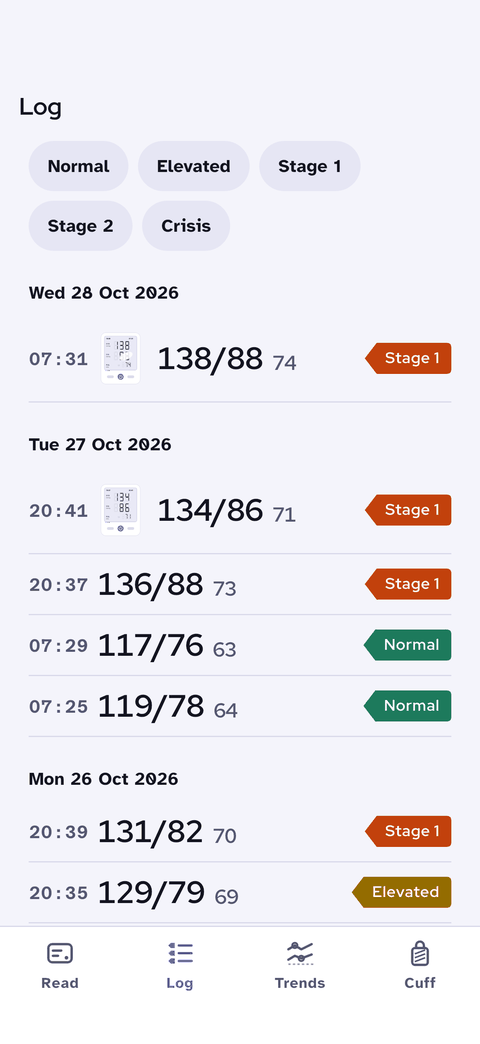
One photo of the monitor comes back as three big numbers: systolic, diastolic and pulse. A digit the reader was unsure about waits for your tap before anything is saved, and the stage is worked out on the phone from the guideline you chose.

The display, read into the log

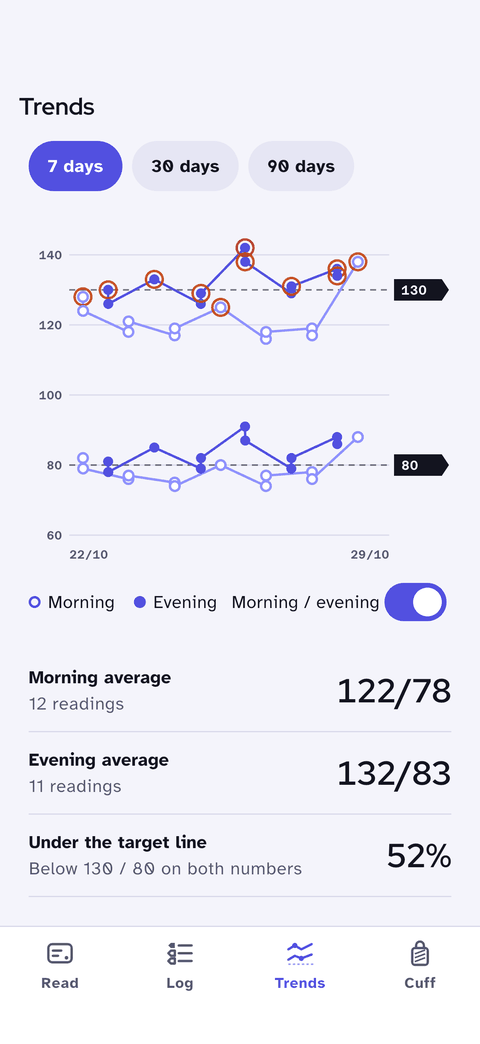
Morning and evening, side by side

Two traces, one for each number, with the target line drawn through them. Switch between seven days, a month and three months, and see the morning and evening averages that a clinic asks for.

Morning and evening, side by side

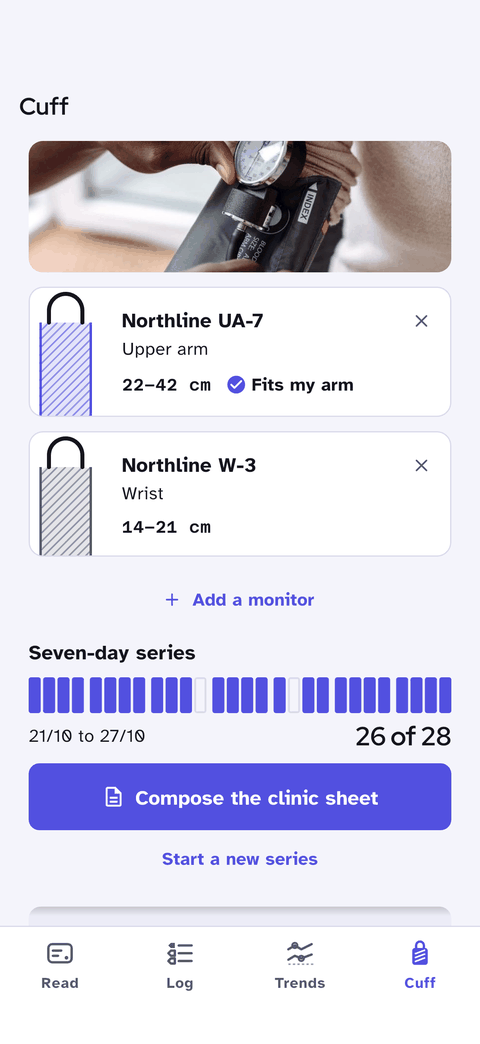
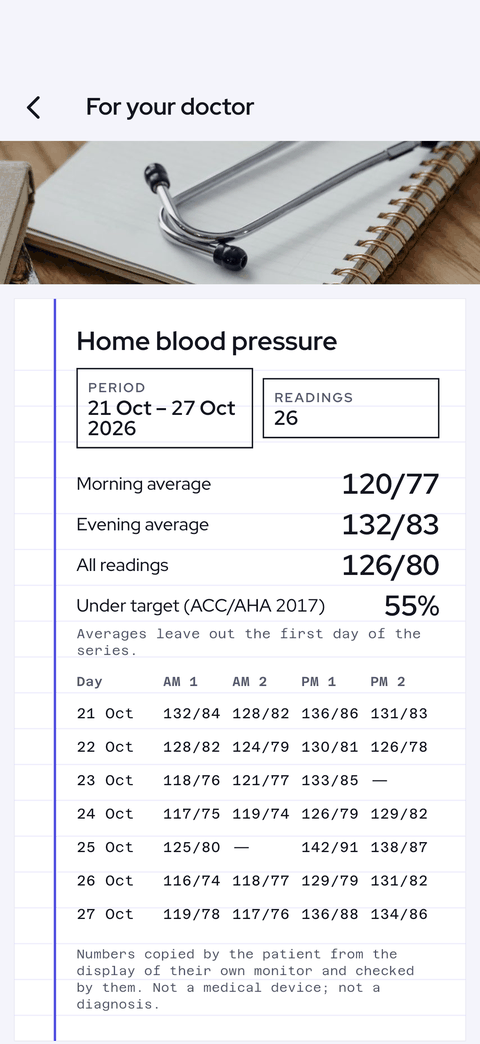
A sheet for the clinic

The seven day protocol fills in as you take readings. When it is complete, one tap composes a single page with the averages, the range and every reading, ready to share from the share sheet as an image or a CSV file.

A sheet for the clinic

What reads the display.

Photograph the display and check the three numbers, see morning and evening averages and the stage next to each reading, run the seven day protocol and share one page with your clinician, in light or dark and in three languages.

Readings taken from a photo of the displayStages and averages worked out on the phoneA one page sheet for your clinicianFace ID and fingerprint lockEnglish, Spanish and ArabicLight & dark

Questions from the kitchen table.

Does the app take a blood pressure reading?

It reads the numbers shown on the display of a blood pressure monitor you already own and keeps them in a log; it does not take a reading itself. Diastora is not a medical device and does not diagnose, treat, cure, or prevent any medical condition. The stage shown next to a reading follows the published guideline you pick in Settings and is there to help you talk to your clinician.

What does reading the display need?

An internet connection: the photo is read by an AI service and you check the three numbers before they are saved. Readings typed in by hand, the log, the stages, the trends, the protocol, the reminders and the clinic sheet work without one.

Who sees my readings?

Readings, monitors and the clinic sheet are kept on the phone. A photo of the display is sent to the reading service to be read, and a copy is kept on the app's server only if you switch that on in Settings.

Keep the log before the appointment.

Point the camera at the display on any home blood pressure monitor and the numbers land in the log, with the time, the arm and whether you had taken your tablets. Morning and evening averages, a seven day protocol and a one page sheet for the clinic are worked out on the phone.

Download on theApp Store
Diastora screen
All demos