This is a simple review about how the plugin works by showing some examples, we recommend to see the plugin documentation before seeing the following review.
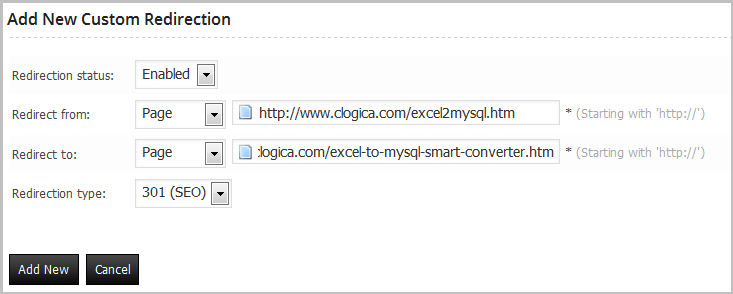
You can download the plugin documentation from: http://www.clogica.com/downloads/documentation/documentation.zipThe simplest redirect, go to custom redirection and click the button “Add New“.
Try the link
http://www.clogica.com/excel2mysql.htm
Will be redirected to http://www.clogica.com/excel-to-mysql-smart-converter.htm
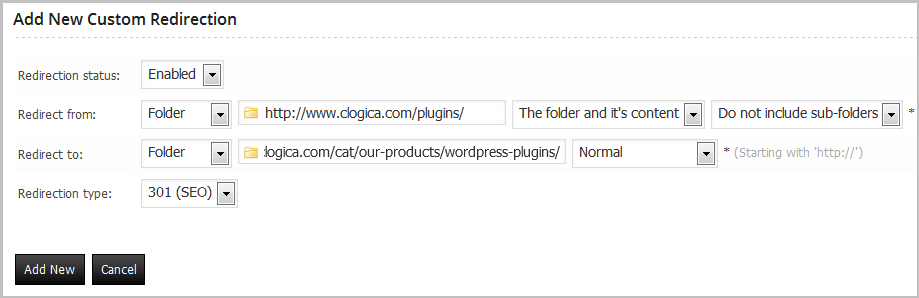
One of the amazing features in this plugin is the ability to make a redirect for a folder and it’s content, here is an example that will demonstrate the idea, note that this redirect is set not to include sub-folders.
Try the link
http://www.clogica.com/plugins/
Will be redirected to
http://www.clogica.com/cat/our-products/wordpress-plugins/
Try the link
http://www.clogica.com/plugins/page1.html
Will be redirected to
http://www.clogica.com/cat/our-products/wordpress-plugins/
Try the link
http://www.clogica.com/plugins/folder/page1.html
Will show 404 Error page
because this redirection does not include sub-folders
Try the link
http://www.clogica.com/apps/
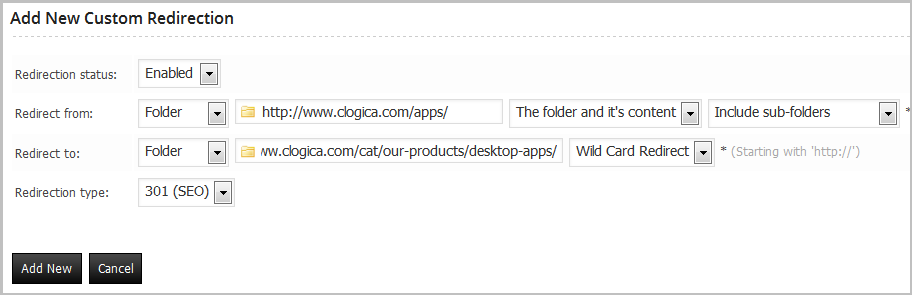
Will be redirected to http://www.clogica.com/cat/our-products/desktop-apps/
Now we will check the sub-folders, try the link:
http://www.clogica.com/apps/timer/
Will be redirected to http://www.clogica.com/cat/our-products/desktop-apps/timer/
Note that the folder timer is used in the target URL too, this is because we use Wild Card Redirect
Now we will check the sub-folders, try the link:
http://www.clogica.com/apps/timer/review/screenshots.htm
Will be redirected to http://www.clogica.com/cat/our-products/desktop-apps/timer/review/screenshots.htm
Note that timer/review/screenshots.htm is used in the target URL , this is because we use Wild Card Redirect.
Try the link
http://www.clogica.com/anyfolder/about.asp
Try the link
http://www.clogica.com/index.asp
Try the link
http://www.clogica.com/anyfolder/company/privacy.asp
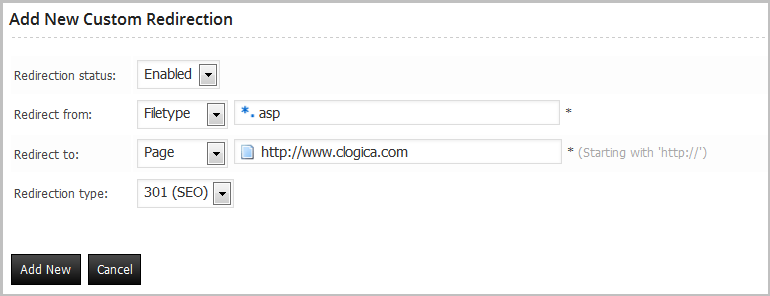
All of them will be redirected to http://www.clogica.com/
Try any ‘.asp’ file you will redirected to http://www.clogica.com/
Using 404 rules, you can specify how the 404 Error pages treated, here we will see one rule type only as a test.
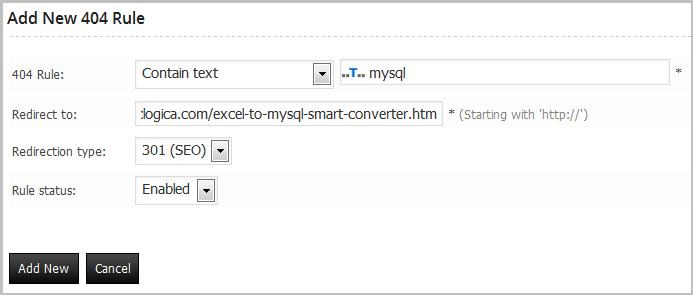
Try the link
http://www.clogica.com/anyfolder/mysql/anyfolder/
Try the link
http://www.clogica.com/mysql-database/
Try the link
http://www.clogica.com/anyfolder/mysql.php
All of them will be redirected to http://www.clogica.com/excel-to-mysql-smart-converter.htm